Registering Yahoo IMAP Connector™
When you first install Yahoo IMAP Connector, it functions in “trial mode”, where you can only use it for 15 days.
In order to use it for an unlimited period of time, and get the best possible experience you need to register Yahoo IMAP Connector by purchasing a license:
1) When you first start Yahoo IMAP Connector (e.g. from the Start Menu), you will see the following:
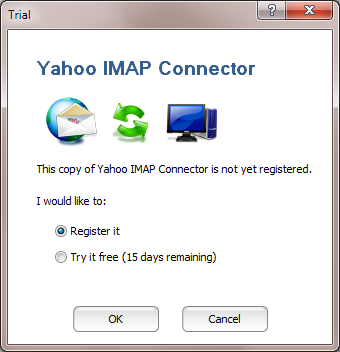
Make sure that the “Register it” option is selected, and press OK.
2) The registration screen will appear:
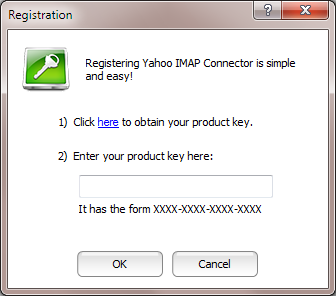
3) Click on the link “here”, which will take you to http://www.YahooImap.com, where you can purchase a license (all major credit cards and PayPal™ accepted).
4) You will receive a “product key”, which is a code that looks like: XXXX-XXXX-XXXX-XXXX
5) Enter this product key in the box under as shown above, and click OK.
You can now use Yahoo IMAP Connector for an unlimited period of time!